 Saltar al contenido

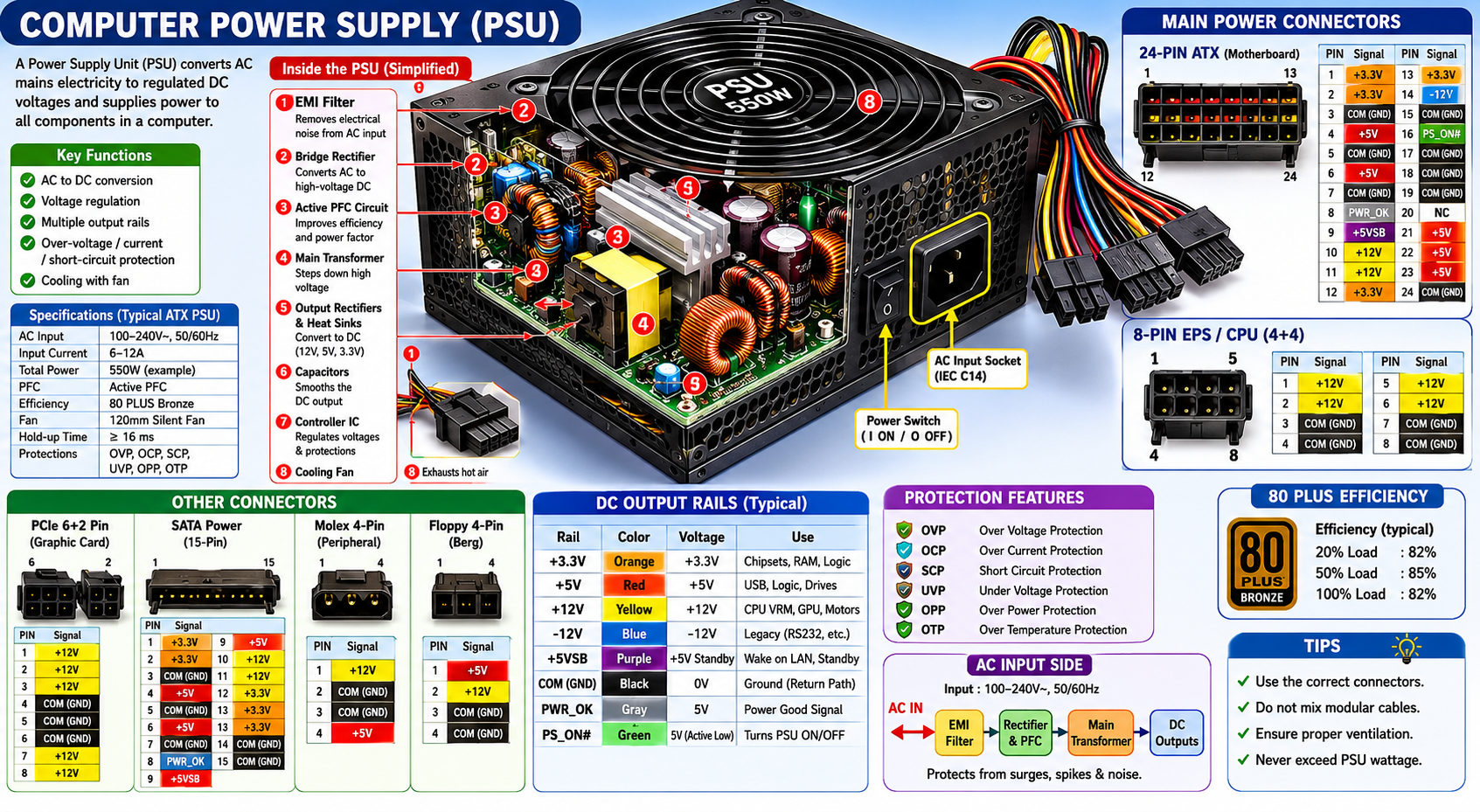

A Dead Power Supply
Last month i experienced this problem, one day trying to power on my computer. Got nothing no fan noise no lights on the mouse or keyboard. Just nothing but dead silence, I tried pressing the power on button twice. But still no power no indications of power flowing..
Fix 1
Checking all the cables and power connectors. Open up my computer reseated all the power connectors. CPU, Motherboard and peripherals. Then booted up but still no power.
Fix 2
Disconnected the PC from the power outlet. Then remove the cmos battery for a couple of seconds. This resets the bios, put the cmos battery back in. Booted teh PC but still got nothing.
Diagnostics
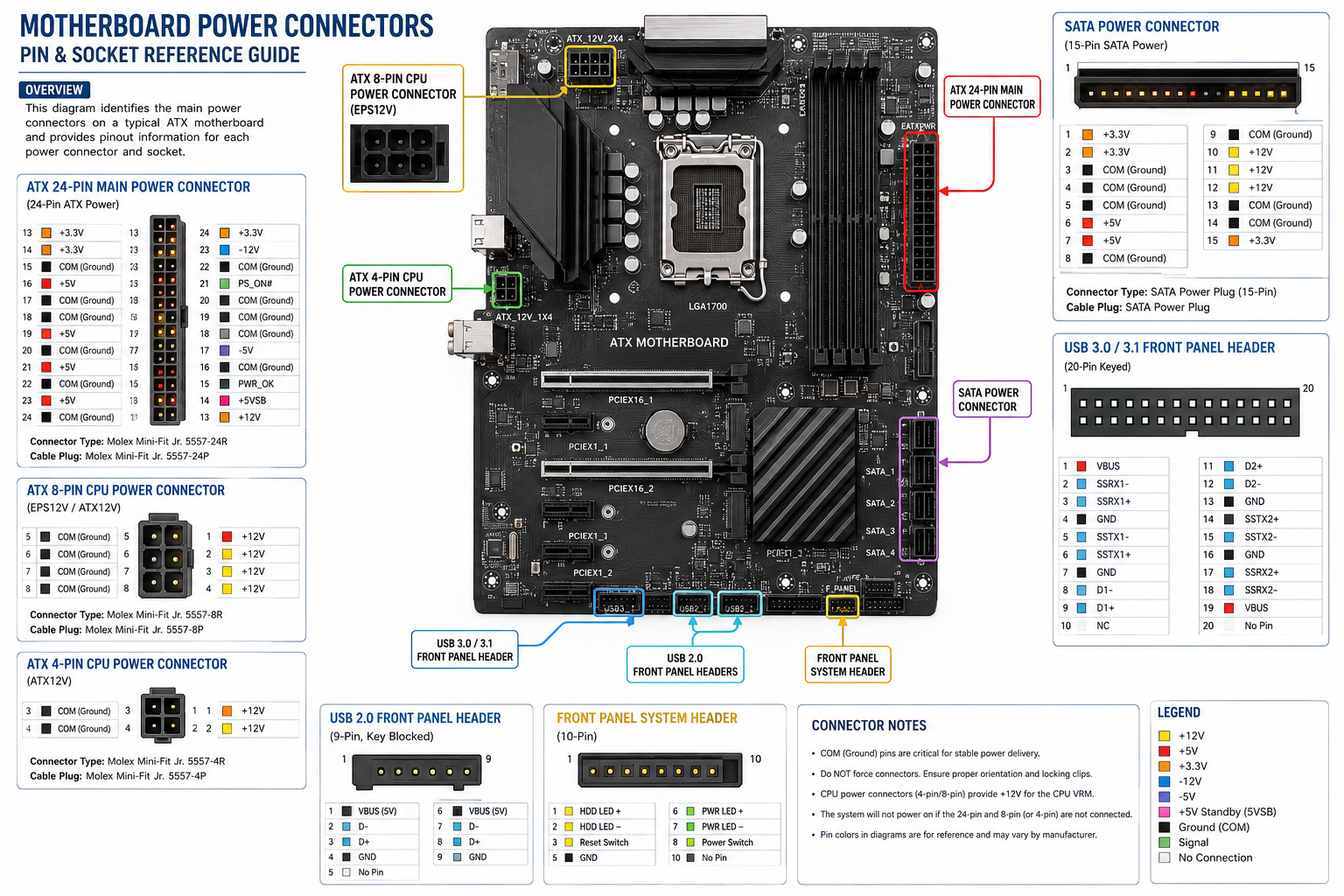
I then removed the power supply then did the Pin test on the power motherboard connector, I shorted the power connector with its adjacent connecter to test if the the power supply is still powering on. Unfortunately the power supply this not power on, which confirmed the diagnosis that the power supply is dead.
Fix 3
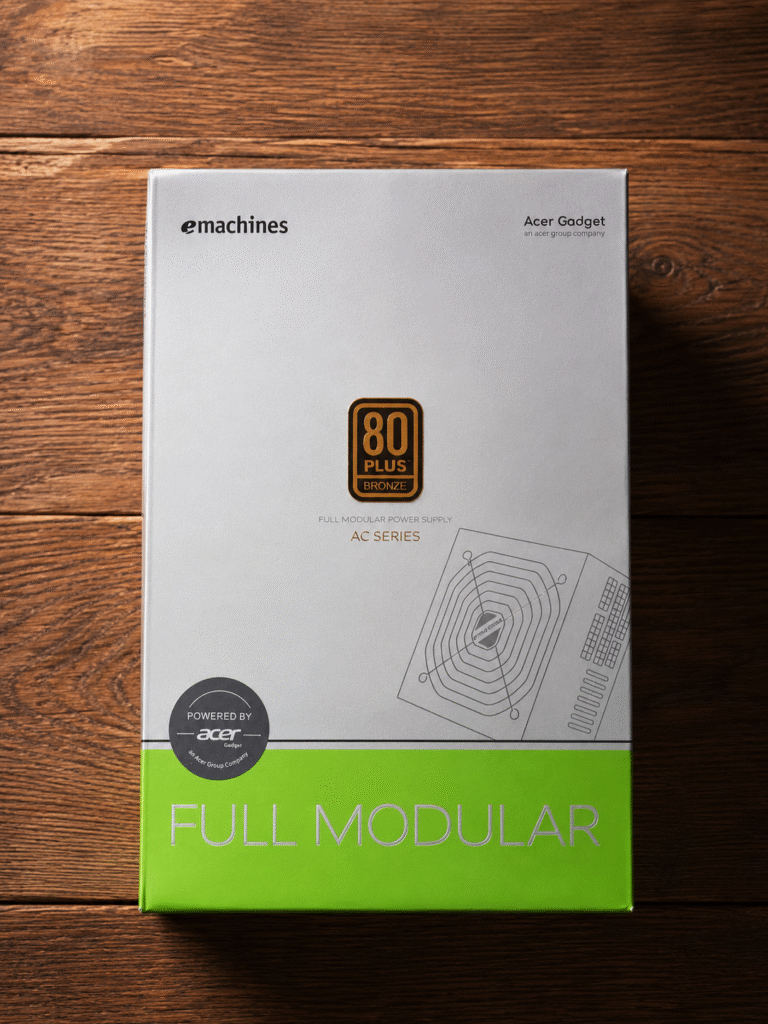
This is the final fix, replacing the power supply, Next day I went to the mall and bought a power supply an Acer emachines Power supply 80plus 550 watts. I replaced my PC’s power supply then power on my PC. My computer booted up perfectly.


 Spanish
  English